

If you’re tired of heavy downloads, overheating devices, and storage issues on your Android phone, Cato Cloud Gaming offers a powerful alternative. This free cloud gaming platform streams games from high-end servers directly to your device, letting you play PC games on Android cloud without demanding local resources.
What is Cato Cloud Gaming?
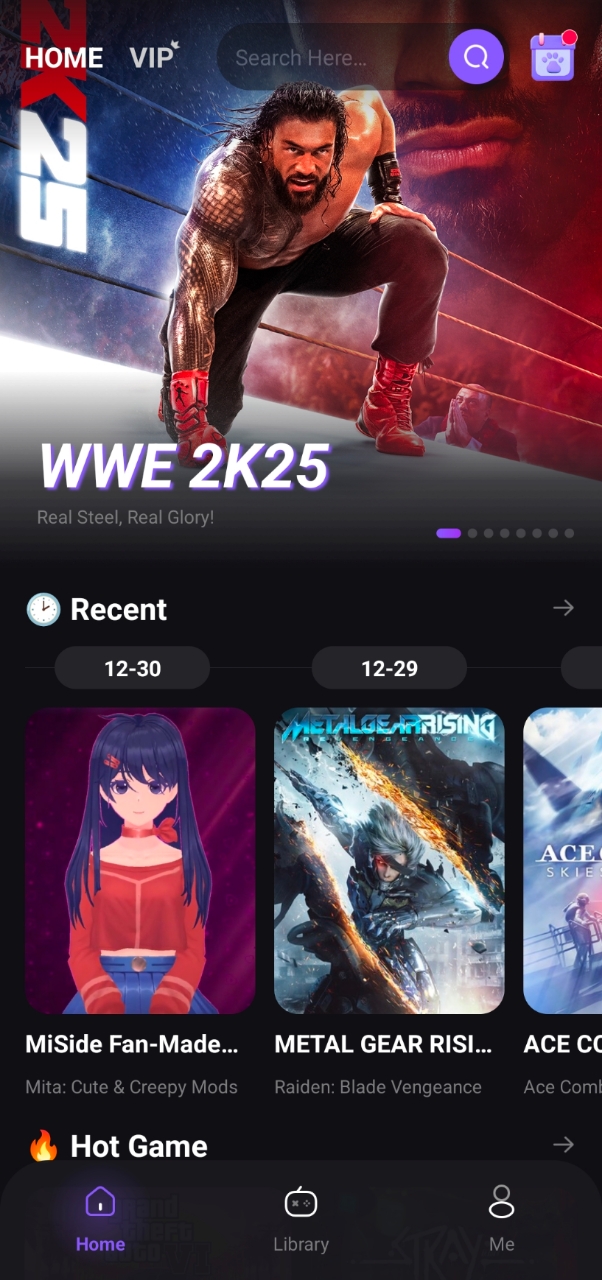
Cato Cloud Gaming is a cloud-based gaming service that runs games on remote servers and streams them live to your Android device. Your phone acts as a display and input controller while the heavy lifting happens on the cloud. This means:
- No massive downloads
- Reduced device heating
- Lower battery consumption
- Play even on low-end or mid-range phones
How Does Cato Cloud Gaming Work?
Getting started with Cato is easy:
- Download the Cato Cloud Gaming app from an official store.
- Sign up or log into your account.
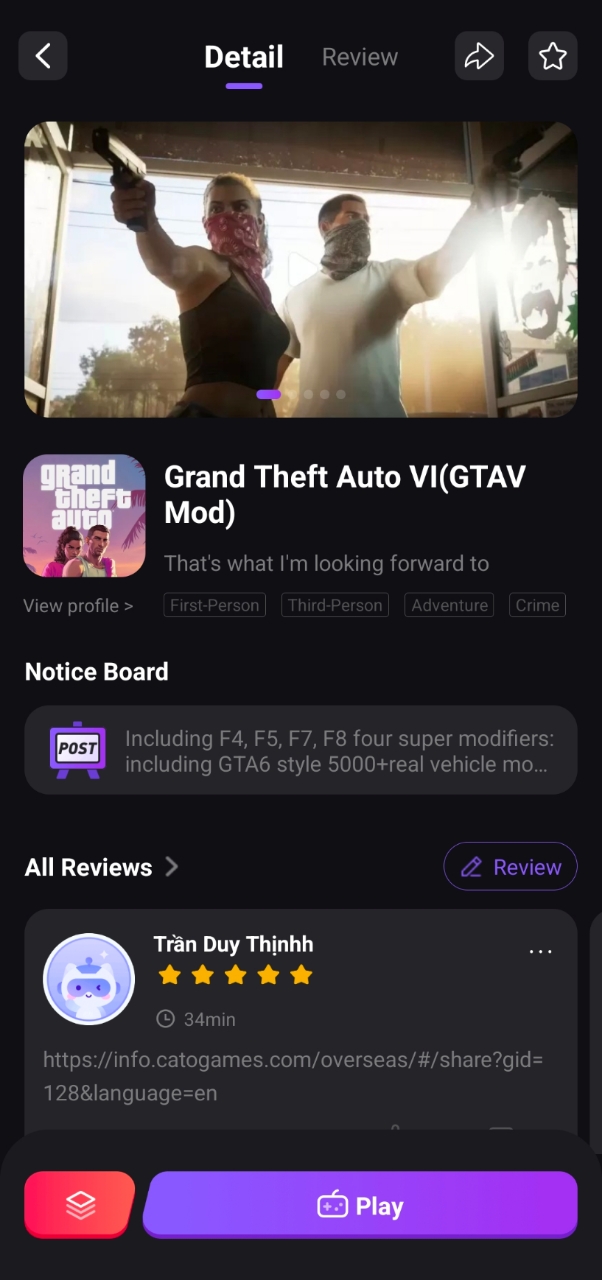
- Browse and select a game from the available library.
- Start streaming instantly and enjoy gameplay.
Since games run remotely, your experience depends mainly on your internet connection rather than your phone’s hardware.
Free Access and Referral System
Cato stands out by offering a free tier with options such as:
- Limited daily usage
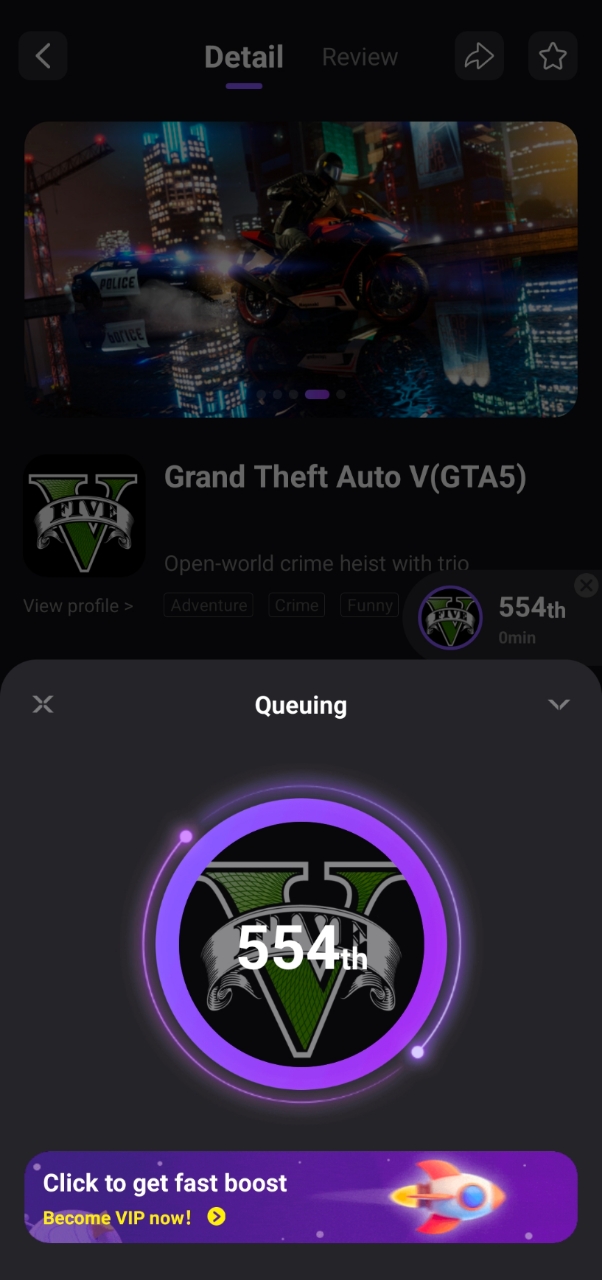
- Possible wait queues during peak times
- Quality variation depending on server load
Performance & Internet Requirements
Cloud gaming heavily relies on connection quality:
- Recommended speed: 10–20 Mbps stable internet
- Use strong Wi-Fi (preferably 5GHz) or 4G/5G networks
- Low ping (30–60ms) is crucial for smooth responsiveness
- Unstable connections may cause input lag, frame drops, or resolution dips
Device Requirements
Because processing happens in the cloud, Cato works well with:
- Low-end Android phones
- Mid-range devices
- Phones with limited storage space
No flagship-level hardware is necessary; just ensure your phone can maintain a stable internet connection and handle video streaming.
Gameplay Experience & Controls
Enjoy full gameplay features including:
- On-screen touch controls (joystick and buttons)
- Bluetooth controller support for improved precision
Touch controls work well for casual or slower-paced games, while controllers provide better experiences for action-packed titles.
Who Should Use Cato Cloud Gaming?
Ideal For:
- Users with low-end or mid-range smartphones
- Players avoiding large downloads and storage use
- Casual gamers and students trying cloud gaming risk-free
- Anyone wanting free, referral-based trial gameplay
Not Ideal For:
- Competitive gamers needing ultra-low latency
- People with unstable internet connections
- Offline gaming enthusiasts
Safety, Privacy & Legality
Before using any free cloud service like Cato:
- Ensure download from official stores only
- Review permissions carefully—only grant what’s necessary
- Use unique passwords and enable two-factor authentication if available
- Avoid entering payment info unless via official channels
Cato streams licensed games legally but beware of services promising “all games free” without restrictions.
Conclusion
Cato Cloud Gaming offers one of the best free ways to experience cloud gaming on Android in 2026. Its referral-based free gameplay system allows new users to explore without upfront costs while avoiding traditional issues like overheating or storage strain.
Ready to try? Download the app, connect to stable Wi-Fi (preferably 5GHz), pick a nearby server region if possible, start with casual games at moderate resolution settings, and enjoy smooth cloud-powered gaming right from your phone!
FAQs
What exactly is a cloud gaming emulator?
It streams games running on remote servers to your device instead of emulating locally. Your phone only displays video and sends inputs over the internet.
Why is Cato Cloud Gaming popular among Android users?
Because it provides free access to multiple games without downloads or high device requirements, making it ideal for casual users and those testing cloud gaming.
Is Cato truly free? What are the limits?
Yes, but expect ads, queues, session time limits, capped resolution/bitrate, and possible server overloads during peak hours.
What are minimum requirements?
A modern Android phone with enough RAM plus stable Wi-Fi (preferably 5GHz) or mobile data at 10–20 Mbps with low latency.
How to set up safely?
Download from official stores; manage permissions wisely; create accounts securely; pick closest server regions; test gameplay before committing long sessions.
What control options exist? How to reduce input lag?
Supports touch controls suitable for casual titles plus Bluetooth controllers that improve precision. Lowering resolution and using wired/Bluetooth controllers can help minimize lag.
Start your cloud gaming journey today with Cato Cloud Gaming—the hassle-free way to enjoy console-quality titles right on your Android device!
Discover more from ZBEON Games
Subscribe to get the latest posts sent to your email.




I wanna play gta 5 on iPad cuz my ps5 not working